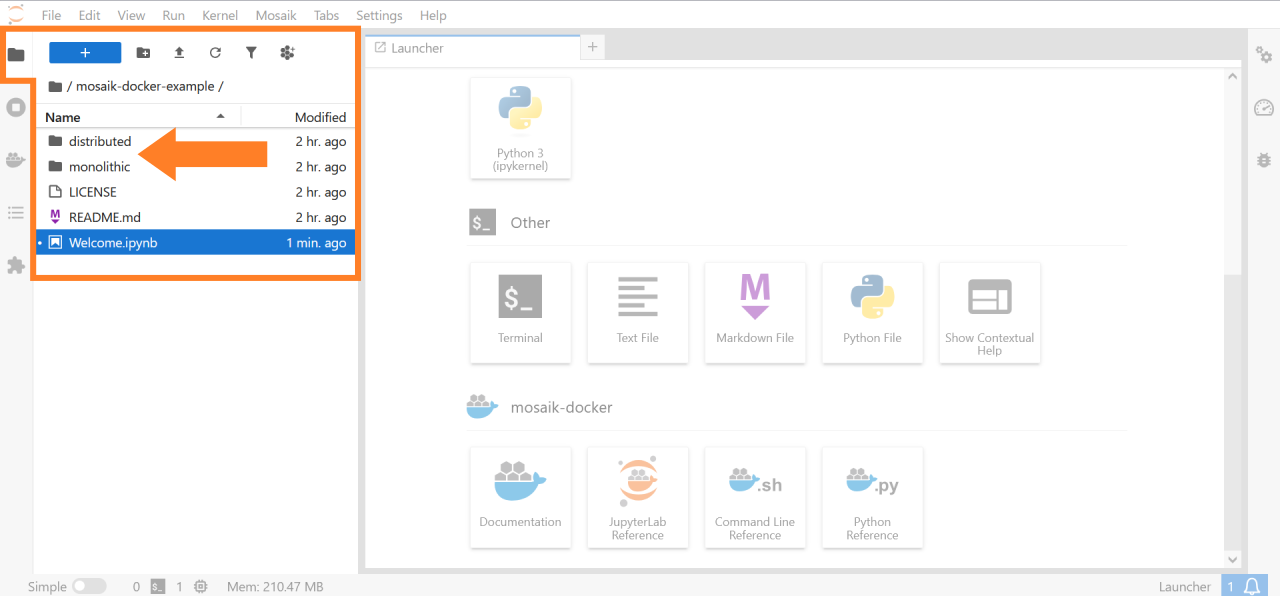
Example for using the mosaik-docker JupyterLab extension
The mosaik-docker-demo repository contains two simulation setups that demonstrate the deployment of the mosaik co-simulation framework with Docker. To run these examples, packages mosaik-docker and Docker have to be installed. For running the examples from JupyterLab, package mosaik-docker-jl needs to be installed.
You can get the examples via git. In JupyterLab, you can open a terminal and clone the repository:
git clone https://github.com/ERIGrid2/mosaik-docker-demo.git
The repository contains two simulation setups:
A monolithic setup is available in folder
monolithic. The mosaik scenario file, all simulators and all aditional resources are added to a single Docker image. When running a simulation, a single container is instantiated from this image and executed on its own.A distributed setup is available in folder
distributed. The mosaik scenario file and the simulators can be added to separate Docker images. When running a simulation, an individual container is instantiated from each of these images. At runtime, these containers are executed in parallel and communicate with each other (via the mosaik API).